
Key takeaways
- The skill is a foreman, not a screenshot tool. It walks the page section by section, writes a spec with exact computed CSS for each component, and hands every spec to its own builder agent while it keeps extracting.
- Scroll before you click. The most expensive cloning mistake is building click tabs for a section the original drives by scroll. That single rule saved more hours than any other.
- Nothing ships on trust. Every clone ends with side-by-side screenshots against the original at 1440 and 390 pixels, and a deploy is not “done” until production serves the new chunk hash.
- Lovable got me from WordPress to React in a weekend. It also got me to a 500-dollar month with no control over the stack. Claude Code fixed both.
- Run it inside a goal, not as a chat message. Explicit success criteria, two auditor agents per round (one Fable, one Opus) hunting for differences, repeat until both come back empty. The prompt is below and on GitHub.
- The version I am sharing clones and stops. The database, the admin panel and the multi-tenant lead platform were pulled out on purpose, and I explain exactly why.
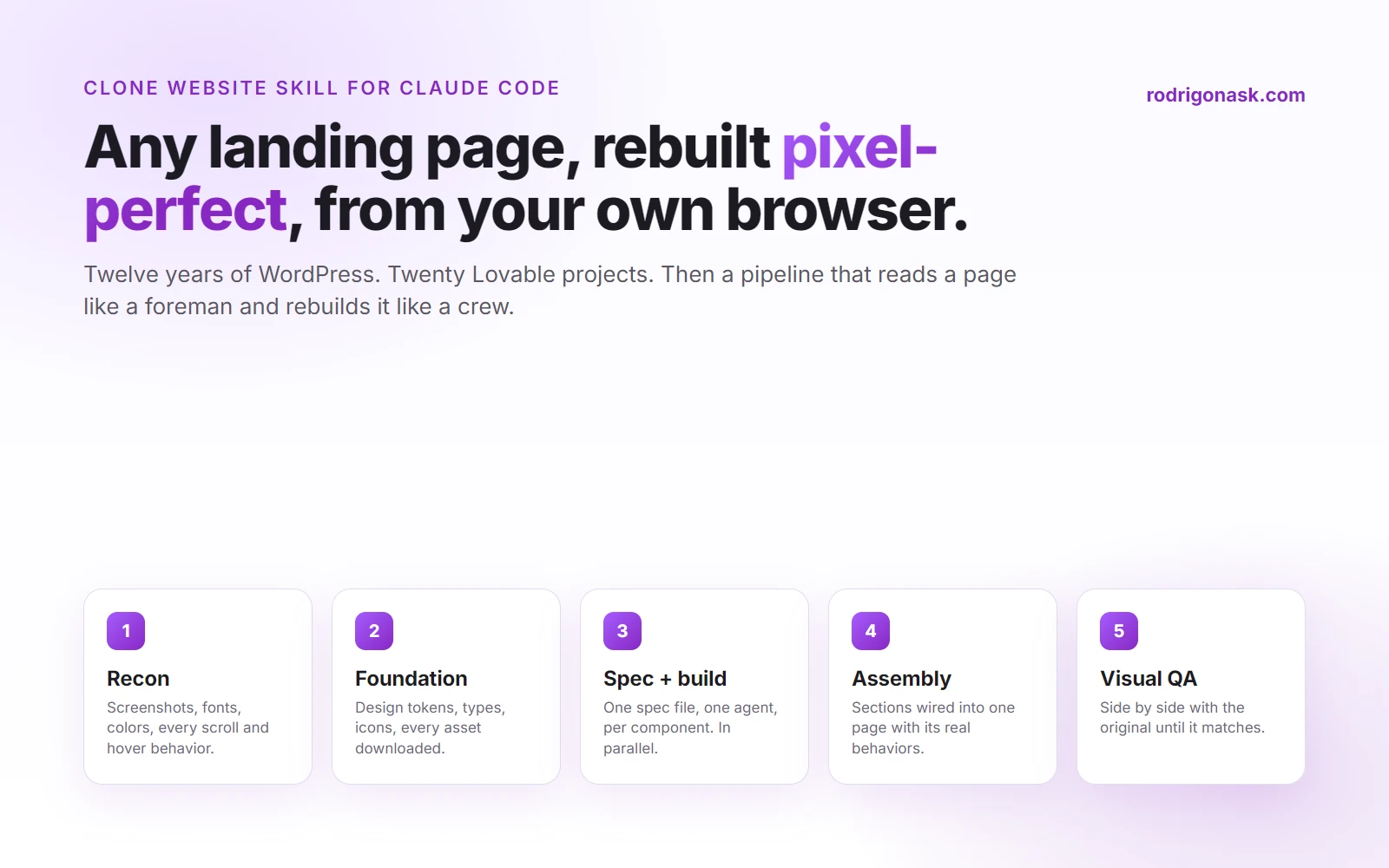
A Claude Code skill is a markdown file that teaches Claude a repeatable procedure. The Clone Website skill teaches it to reverse-engineer any live page through your own Chrome browser, extract the real CSS, content, assets and behaviors, and rebuild the page pixel-perfect as a modern React project, checking its own work against the original before it reports done.
I built websites for twelve years before a piece of software built one for me. That sentence would have been embarrassing in 2014. Today it is just the order things happened in.
This is the story of how I got from WordPress to Lovable to a Claude Code pipeline that rebuilds any landing page pixel-perfect, what the pipeline actually does under the hood, and why the version at the bottom of this page has had its teeth deliberately filed down before I let it out of the house.
The skill took a couple hundred hours to build. It clones a landing page reliably. That is the whole claim. The rest of this page is how.
Twelve years of WordPress, and the day it stopped being enough
I started with WordPress in 2014. Themes, then page builders, then the plugin graveyard every long-running WordPress site becomes. It worked. It still works. This very site ran on it until last week, and 39 of the articles on it were born there.
The problem with WordPress was never the output. It was the cost of change. Every new landing page angle was a morning. Every “can you just move that section” was a ticket. And by the time paid traffic was the whole job, a landing page was no longer a website. It was a test. Tests need to be cheap, or you stop running them.
Lovable, October 2025: the honeymoon and the invoice
In October 2025 I opened Lovable and described a page. It built it. Not a wireframe, a page, in React, deployed, with a URL. Eleven years of muscle memory told me that was impossible, and then I did it nineteen more times.
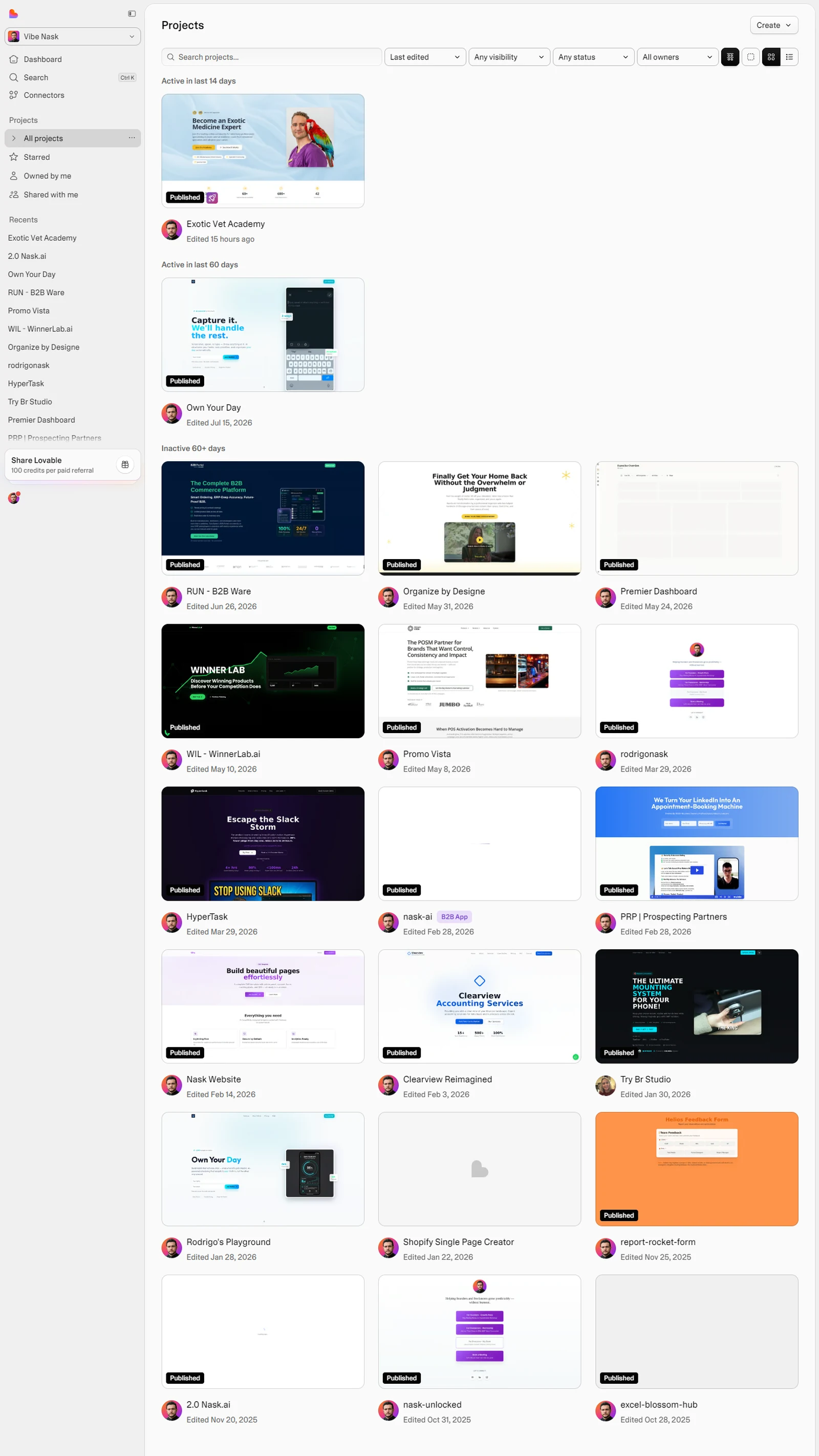
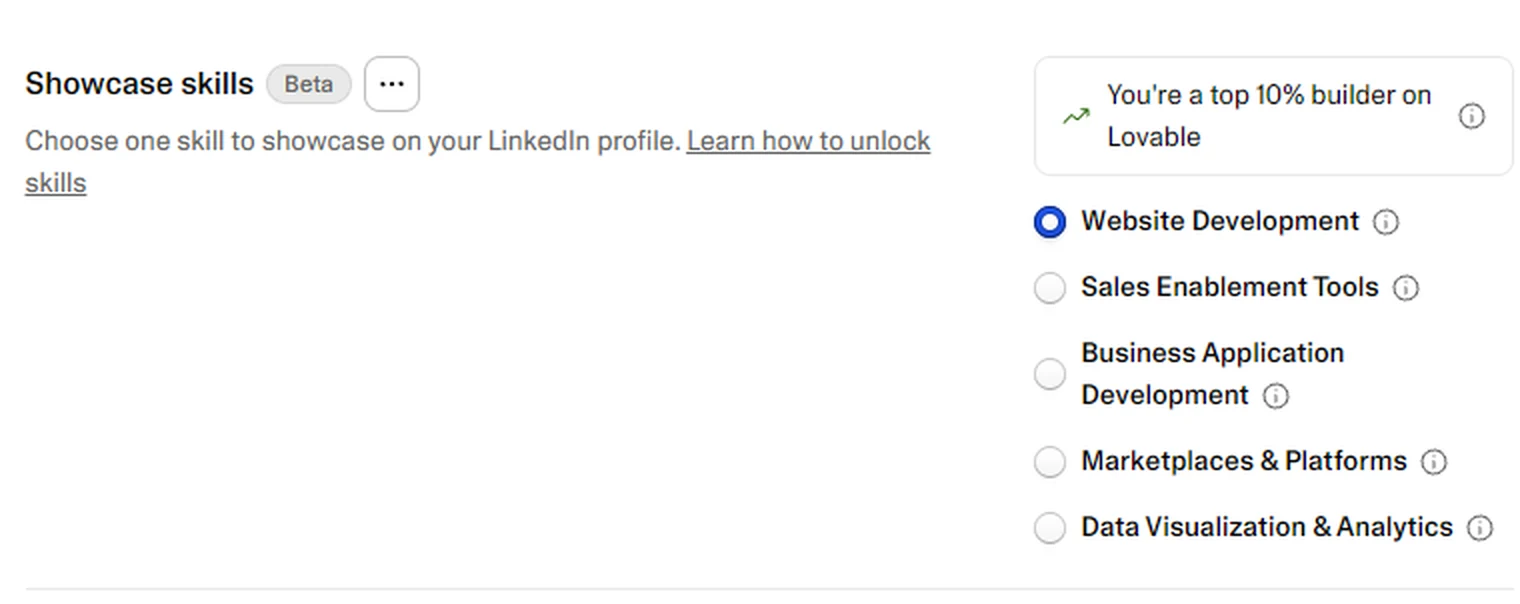
Lovable’s own badge on my account puts me among its top builders, which is a polite way of saying I fed it a lot of money.
Two problems arrived at the same time, and they were the same problem wearing two coats.
Control. A Lovable project is Lovable’s project. The stack is chosen for you. The deploy is theirs. The tracking, the pixels, the server-side conversion events that decide whether a Meta campaign learns or flails, all of that lives outside the tool or bolted on with duct tape. When a client asked why a lead was attributed to the wrong ad, “it’s Lovable” was not an answer I could send.
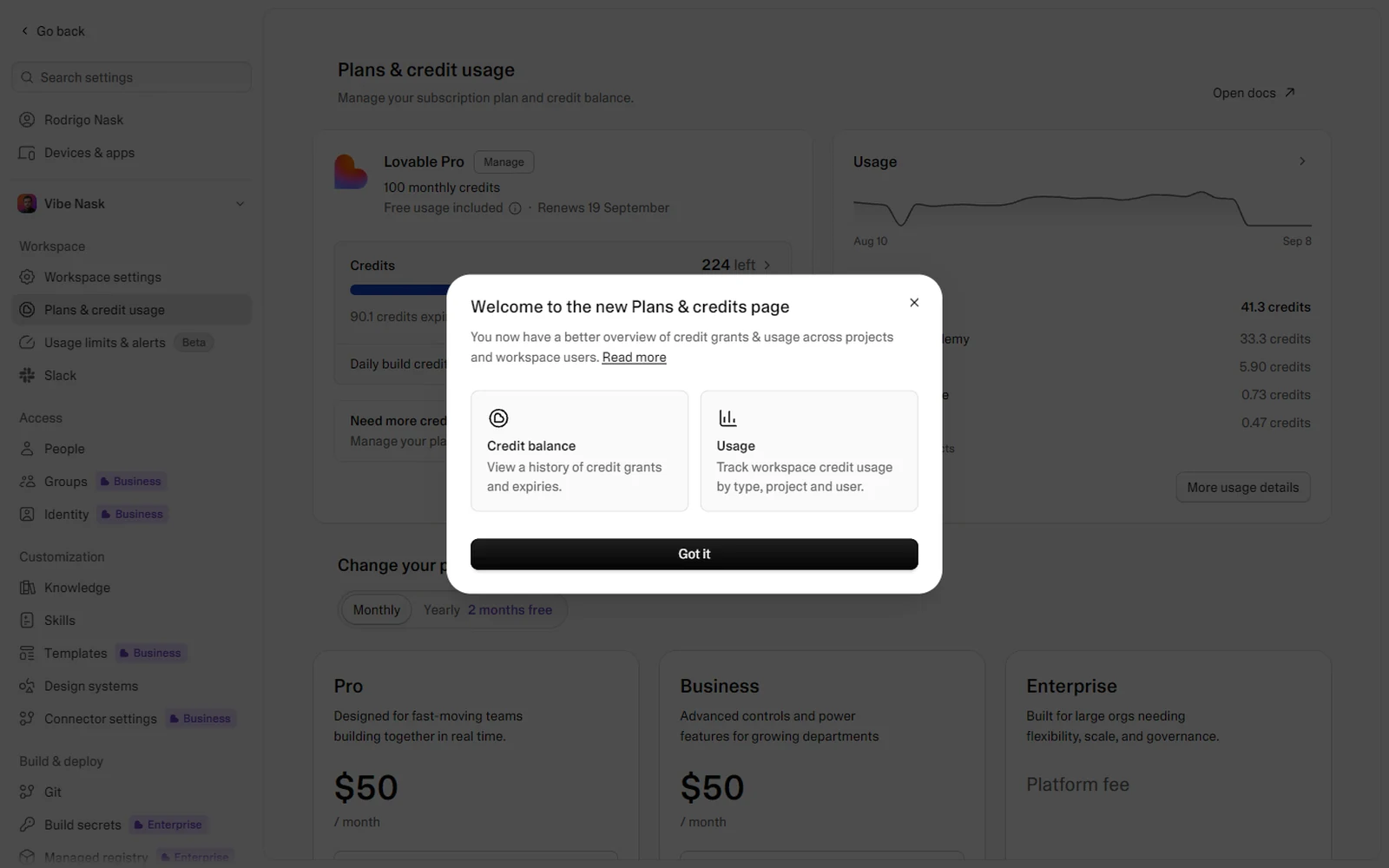
Cost. Lovable bills by credits, and credits are consumed by iteration. Iteration is the entire job. For a few months I was paying over 500 dollars a month, and the bill went up exactly when I was being most productive. That is the wrong direction for a bill to move.
Claude Code, January 2026: buying back control
Three months after Lovable, I started building sites with Claude Code, to solve the two problems Lovable had given me. It is not a website builder. It is an engineer that lives in your terminal, has your whole project open, and does what you tell it, including the parts a product team would have decided for you.
The first attempts were rough. Version 1 of my landing page system was a prompt. Version 2 was a prompt with a checklist. By version 4 it had a scaffold, a deploy script and a QA step. Version 7 is the one I run today for every client page, and it is the one anyone can use. Version 8 adds fully automated tracking, Hyros-style attribution, lead storage and a live connection to Nask AI, and version 8 stays mine.
What you are getting in this article is a piece of version 7. The cloning piece. It is the part that turns “rebuild this page” into a finished project, and it is a big part of the whole.
This site is the proof I can show you without a client’s permission. It was WordPress on Friday. It is Astro on Cloudflare Pages today, rebuilt and migrated with Claude Code, every legacy article and every comment carried over.
How the skill actually works
A Claude Code skill is a markdown file. Claude reads it when you type the slash command and follows it like a procedure. Most skills are a page long. This one is about 800 lines, because most of it is scar tissue, and I will get to the scars.
The idea that makes it work is a metaphor I had to write down before Claude would stop rushing: you are a foreman walking the job site. You do not inspect the whole building and then hand one contractor a photo. You inspect one section, write a detailed spec, hand that spec to one specialist, and move to the next section while they build. Extraction and construction run in parallel. Extraction is meticulous. The specs are the contract.
Five phases, in order.
Phase 1. Reconnaissance
Claude opens the target page in your own Chrome, through a tool called Playwriter. Not a headless browser, not a screenshot service. Your browser, logged in, with your extensions, seeing what you see.
It takes full-page screenshots at 1440 and 390 pixels wide. It reads the fonts actually in use, the color palette from computed styles, the favicons and meta tags. Then it does the pass that separates a clone from a mockup: the interaction sweep. It scrolls the page slowly and records what changes on its own. Then it clicks every button, tab and pill and records what each one reveals. Then it hovers. Then it repeats the layout check at three widths.
All of it lands in two files: a behaviors document and a page topology. The topology is the assembly blueprint: every section, top to bottom, with its interaction model written down. Static, click-driven, scroll-driven or time-driven.
Phase 2. Foundation
Nothing can be built until the foundation exists. Fonts installed. Design tokens written into the stylesheet as OKLCH values, mapped onto shadcn’s token names where they fit. TypeScript types for the content. Every inline SVG deduplicated and saved as a named icon component. Every image, video and background downloaded by a script, including the overlay layers most people miss because a section that looks like one image is usually three.
This phase is sequential and Claude does it itself. Everything after it can be parallel.
Phase 3. Spec and dispatch
The core loop. For each section in the topology, Claude does three things.
It extracts: a screenshot of the section in isolation, then a script that walks the DOM and records the computed value of about sixty CSS properties for every element, four levels deep. Not “looks like 18 pixels”. The number the browser is using. For anything with states, it captures both states and diffs them: what changes, what triggers it, and what the transition is.
It writes a spec file. One per component, with a fixed template: DOM structure, computed styles, states and behaviors, per-state content, assets, verbatim text, responsive behavior. If the spec runs past about 150 lines, the section is too big for one builder and gets split. That is a mechanical rule, and Claude is told not to override it with “but it’s all related”.
It dispatches a builder. One agent per component, each in its own git worktree so they cannot trample each other, each receiving the whole spec inline in its prompt. No “go read the docs”. Every builder must pass a type check before it reports done. And Claude does not wait. As soon as one section’s builders are dispatched, it is extracting the next.
Phase 4. Assembly
When the builders return, their branches merge, the build is verified after each merge, and the sections get wired into one page with the page-level behaviors from the topology: sticky headers, scroll snap, intersection observers, smooth-scroll libraries if the original used one.
Phase 5. Visual QA
The clone is not done when it builds. It is done when it matches. Claude opens the original and the clone side by side, screenshots both at the same widths, and compares section by section. Every discrepancy goes back to the spec: was the value extracted wrong, or did the builder ignore it? Then it scrolls, clicks and hovers through the clone to make sure the behaviors survived.
Only after that pass does it report a component count, a spec count, an asset count and the build status.
The nine rules, and the scars behind them
The skill has nine guiding principles. Three of them do most of the work.
Small tasks, perfect results. An agent told to “build the features section” approximates. An agent given one card with exact values nails it. When in doubt, make it smaller.
Identify the interaction model before building. Scroll first. Click second. A sticky sidebar with scrolling panels and a tabbed interface look identical in a screenshot and share no code. Get this wrong and the fix is a rewrite.
Spec files are the source of truth. No spec, no builder. The spec forces exhaustive extraction and leaves an artifact I can audit when something looks off. Skipping it means the builder gets whatever Claude can remember from a browser session, which is how you get guessed padding.
Then there is the field-notes section, which is where the skill earns its length. Every entry is an incident that cost hours, written down so it never costs them again. A few, anonymised:
- The favicon of the wrong company. Browsers request
/favicon.icobefore they parse your HTML. If it 404s, Chrome shows whatever it cached for that origin, and every clone shares the same localhost and preview origins. So a client’s page shipped wearing a previous client’s icon. Now every clone ships a real.icoat the root and the checklist makes Claude open the file and look at it. - The deploy that was not a deploy. The hosting tool infers the branch from git, and the repo was on
masterwhile production listened tomain. Two “successful” deploys, a working preview URL, and production sat nine hours stale. Now the deploy command pins the branch and the checklist compares the production chunk hash to the local build before anyone says “live”. - The images that were HTML. A framework catch-all returned the app shell for every image path, so the asset folder filled with identical 4-kilobyte “PNGs”. The tell is now in the skill: same byte size, starts with a doctype, go through the image optimizer instead.
- The ghost in the screenshots. The browser tool draws its own cursor and toolbar into every capture. Fine for QA. Not fine on a client deck. One line of CSS, injected before any deliverable screenshot, hides it.
None of that is clever. It is the difference between a prompt and a system.
What I took out before sharing it
The version I run has a Phase 6. It turns the clone into a multi-tenant marketing platform: a database, lead capture forms, an admin dashboard, server-side conversion events, a winning-ads report that joins leads to ad spend. That phase is why version 8 exists.
It is not in the shared version, and not because I am precious about it. It is because that phase connects to my infrastructure, carries my tenants, and has a security surface that belongs to a product, not to a file you paste into a folder. A skill that can clone a page should clone a page and stop. Anything that stores other people’s data deserves its own project and its own review.
So the shared skill does three things:
- Phases 1 to 5. The full clone, exactly as I run it.
- An opt-in deploy checklist for Cloudflare Pages, gated the same way mine is. It will not say “deployed” until production serves the new build and the rendered links resolve.
- An optional Meta Pixel plus Conversions API add-on with no database. One browser helper that loads the pixel and captures first-touch attribution, and one Cloudflare Pages Function that forwards the conversion to Meta with the token held as a server-side secret. Browser event and server event share one id, so Meta counts them once. If you want the leads stored, point the function’s optional webhook at your CRM. It is off by default.
Everything else in the file has been scrubbed: no project names, no paths, no keys, no client incidents with names on them. The scars stayed. The names did not.
How to use it
- Install Claude Code and Node.
- Install Playwriter, the extension and CLI that lets Claude drive your real Chrome:
npm install -g playwriter@latest, then add the extension and click its icon on a tab. - Get the skill from GitHub and drop the
clone-websitefolder into~/.claude/skills/. - In a new project folder, paste the goal prompt below with your URL and folder filled in. Plain
/clone-website https://the-page-you-wantworks too, but the goal is what makes it finish. - Read the runsheet it writes as it goes. That file is the contract. If a box is unchecked, the run is not done, whatever the summary says.
It is written for Windows and PowerShell because that is my machine. The browser-side JavaScript is identical on a Mac. Translate the shell lines and you are there.
Run it inside a goal, not a chat message
This part is mandatory. A skill typed into a chat stops when Claude decides it is done, and “done” is whatever it felt like at the time. A goal is a prompt with explicit success criteria and a loop that keeps running until every criterion is proven or a blocker is written down. In my setup that is the /goal command: it arms a Stop hook that refuses to let the turn end until the condition holds. If you do not have one, paste the same prompt as a message and be the hook yourself. Read the runsheet. If a box is unchecked, send it back.
The loop is simple. Build. Screenshot original and clone. Spin up two auditors in parallel, one on Fable and one on Opus, one hunting pixel differences and one hunting behavior differences, both told to praise nothing. Merge their findings into one fix list. Fix. Repeat until two consecutive rounds come back empty. Cap it at ten.
Here is the prompt, ready to paste. Replace the URL and the folder. It ships on GitHub as GOAL-PROMPT.md.
/goal Clone <URL> pixel-perfect with the clone-website skill and prove it, iteration by iteration, until two independent auditors find nothing.

## Objective
Run the clone-website skill on <URL> inside <PROJECT_FOLDER>, driving my own Chrome through the Playwriter MCP. Use the tab where the Playwriter icon is enabled, open your own page with context.newPage() and use that page for everything. Follow every phase of the skill in order: Recon, Foundation, Spec and dispatch, Assembly, Visual QA. Write docs/RUNSHEET.md before Phase 1, one checkbox per phase and per iteration with an evidence line, and keep it current.

## Guards
- Local only. Never deploy, never touch DNS or hosting. A passing local build is the finish line.
- No database, no admin panel, no CMS, no lead storage. The skill clones and stops.
- Never write outside <PROJECT_FOLDER>. Never modify the original site. Never log into anything.
- Zero dollars: no paid APIs, no ad accounts, no tokens.
- Never loosen a criterion to pass it. If a value cannot be matched, write that in the runsheet.

## Iteration loop (max 10)
1. Build. Iteration 1 runs the skill end to end. Iteration 2 and later apply the previous fix list only.
2. Evidence. Full-page screenshots of original and clone at 1440 and 390 wide, plus every interactive state (tabs, accordions, hover, scroll-driven sections, mobile menu) captured on both. Save to docs/qa/iter-N/.
3. Audit. Two agents in parallel, each given the screenshots, the spec files, docs/research/BEHAVIORS.md and the runsheet, each told to find what is wrong and to praise nothing:
   - Agent A, model fable: pixel fidelity. Type, spacing, color, sizing, image crops, breakpoints. Each finding is element, original value, clone value.
   - Agent B, model opus: behavior fidelity. Every interaction in BEHAVIORS.md tested on the clone. Scroll-driven vs click-driven, sticky, animation, links, forms. Each finding is behavior, original, clone.
4. Compress. Merge both reports into one fix list, above the fold first, drop nothing. Log the iteration in the runsheet: found, fixed, remaining.
5. Decide. Both agents report zero findings: run one more full iteration to confirm, then stop. Otherwise go back to step 1.

## Success criteria (all true)
- npm run build passes with zero TypeScript errors.
- One spec file per component in docs/research/components/, and every built component matches its spec.
- Final side-by-side at 1440 and 390: no visible difference in layout, type, color, spacing or imagery, section by section.
- Every behavior in docs/research/BEHAVIORS.md works the same way in the clone.
- Original fonts self-hosted. Original images downloaded, no placeholders, no HTML file wearing a .png extension.
- A real favicon at the root, opened and looked at.
- Two consecutive iterations with zero findings from both auditors.
- docs/RUNSHEET.md fully checked, each box with evidence (screenshot path, commit hash).

OR the handback route: a criterion is proven unreachable (it needs my login, my money or my decision, or the same finding survives three iterations), every reachable criterion is closed, the blocker is written in docs/RUNSHEET.md as BLOCKED: <reason> with what was tried, and the run says so plainly and stops. That handback IS a success state, not a failure.
The skill is free and public on GitHub, MIT licensed. Prefer a file? Download the zip. If you want the version with the platform underneath it, the tracking, the lead database and the winning-ads report, that is what I build for clients, and the door is the second button.
Get the skill on GitHubWork with me 1-on-1What is the Clone Website skill?
A Claude Code skill: a markdown instruction file plus a few templates. It reverse-engineers a live page through your own Chrome, extracts the real CSS, content, assets and behaviors section by section, writes a spec per component, and dispatches parallel builder agents against those specs. Then it checks the result against the original.
Is it a screenshot-to-code tool?
No. Screenshot tools guess. This reads the DOM. Computed styles, the real font files, every image including the overlay layers, and the interaction model. It scrolls before it clicks, and it finishes with a side-by-side comparison, not a feeling. A couple hundred hours went into making that reliable.
Why not just use Lovable?
I did, for twenty projects, and I would still hand it to someone on day one. The problems come later: no control over the stack, the deploy or the tracking, and a bill that climbs with your iteration count. I paid over 500 dollars a month for a few months. Claude Code gave me the control back and the bill stopped moving.
Does the shared version include tracking or a lead database?
It clones, and it stops. The optional add-on loads the Meta Pixel and fires a server-side Conversions API event with the token kept on the server, no database. Lead storage, admin panels and the multi-tenant platform I run for clients were pulled out on purpose.
Do I need to know how to code?
You need Node installed, two commands and the patience to read a checklist. Claude does the engineering. Judgement is the part you keep.
Why run it inside a goal instead of a chat message?
A chat message ends when Claude decides it is done. A goal ends when the criteria are proven: build passes, side-by-side matches at two widths, every behavior works, and two auditors on Fable and Opus come back empty twice in a row. The prompt is above, and on GitHub.
Which version of your landing page system is this?
A piece of version 7, the one anyone can run. Version 8 adds fully automated tracking, Hyros-style attribution, lead storage and a live connection to Nask AI. That one stays mine.