
Key takeaways
- A tutorial is a spec someone else already wrote. Hand it to Claude Code instead of your evening.
- Ask for the gap between their result and yours, measured, not a summary of the video.
- You do not need the skill. You need the standard: a brief, success criteria and a spend cap.
- Auditor agents do the review you are not qualified to do. Ten rounds caught ten things one pass would have shipped.
- Keep the one job only the owner can do. Claude got my signature line wrong, and only I could have noticed.
Learning with Claude Code, the way I do it: instead of watching a tutorial and practising the skill, I hand the video to Claude Code, have it measure the gap between that result and mine, and then manage the build the way I would manage an employee, with a brief, a bar and reviewers.
You know the routine. A 20 minute tutorial, a notebook, the pause button, the “I will try this on the weekend”. The weekend comes and goes. The tab stays open for a month.
I run my business alone, and I do not have that month. So when Nate Herk published a video on September 25 showing Claude editing his videos with real B-roll, I did not study it. I gave it to Claude Code and asked what my own video editor was missing. The studying was Claude’s job, not mine.
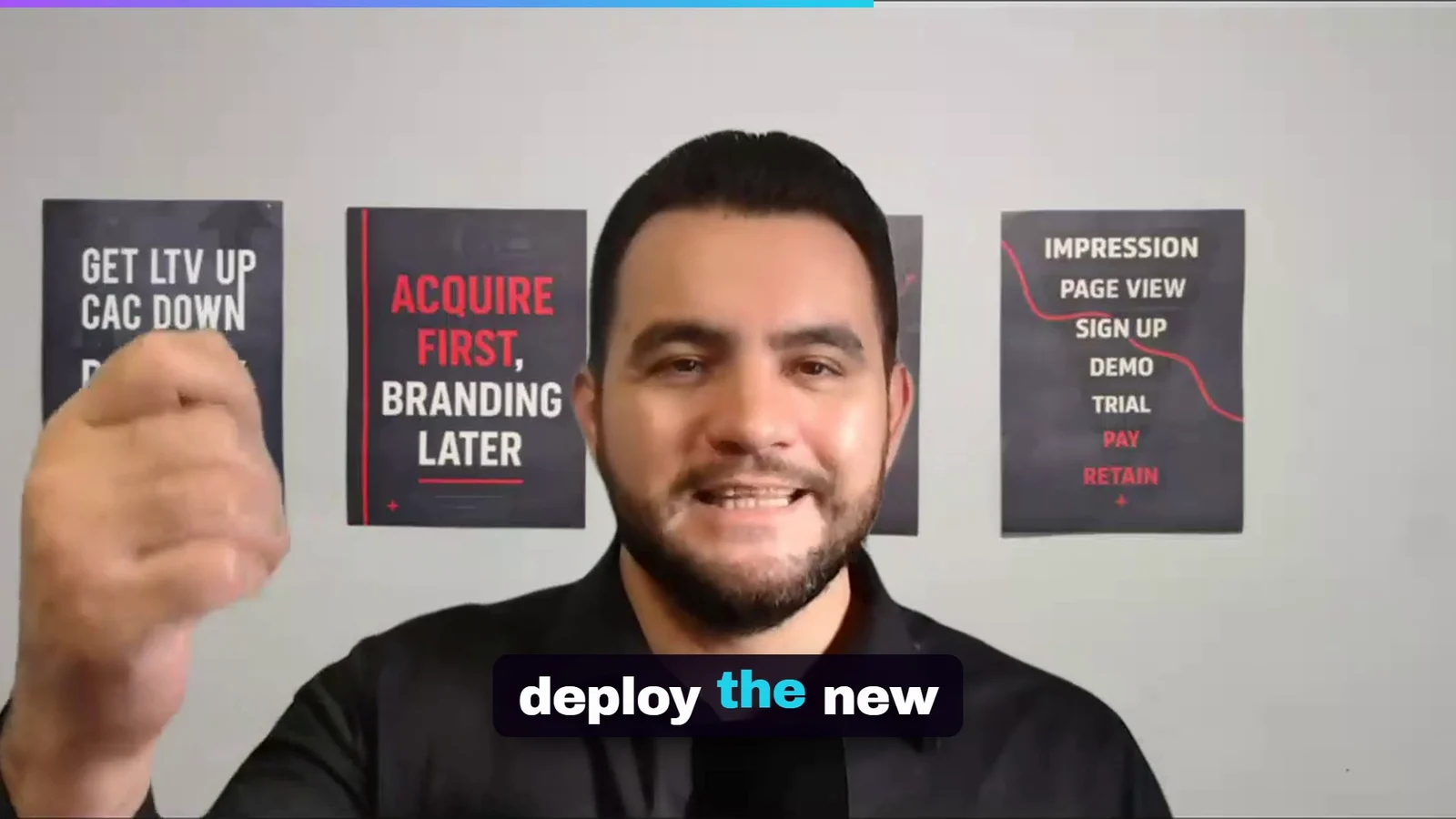
One day later I had a new engine: director’s notes in, finished edit out, with screenshots, generated shots, split screens, sound effects and a music bed. 10 audited rounds, 20 of 20 success criteria, $0.76 of generation. This is what it made from 123 seconds of me talking about scaling ads.
You would not hire an editor and then enrol in an editing course to supervise them. You would tell them what the video is for, show them one you like, and send back the cut that is wrong. That is the whole method. Here it is step by step.
What you are building
A loop you can run on any tutorial that shows a result:
- Study: Claude downloads the video, transcribes it, pulls keyframes and contact sheets, and measures what it can measure.
- Compare: it lines that up against what you already have and lists the gaps, each with a timestamp as evidence.
- Brief: the gaps become a plan with numbered success criteria, a spend cap and a way back to the old version.
- Build: Claude builds against the plan, one iteration at a time.
- Review: after every iteration, auditor agents attack the work and a web agent checks every outside claim.
- Judge: you watch the result and send back what only you can see.
In my case the thing being built was a video editor. The loop does not care. It works for a landing page, a reporting dashboard, an email sequence, anything a tutorial can show you finished.
Why not the normal way
The normal way treats a tutorial as a class: you watch, you practise, you get good at the skill. That made sense when you were the one doing the work. It stops making sense when the work is done by something that reads a transcript in seconds and never gets bored at minute 14.
Here is the uncomfortable part. You do not need to know more than your employees. No manager is a better designer than their designer. What a good manager knows is what the work is for and what good looks like, and they can say “no, again” with a reason.
So I kept the two jobs a tutorial cannot give you, the standard and the judgement, and handed Claude the rest.
Step 1. Hand Claude the tutorial, not your evening
The ask was short: transcribe this video and compare it with my video editing skill. What came back 14 minutes later was a research folder:
video-research/7jHXoPGnA4c/
  video.mp4            the tutorial, 1920x1080, 1,162 s
  transcript.txt       every line with its timestamp
  keyframes/           58 keyframes across the video
  sheet_1.jpg          contact sheets: the whole video on two pages
  sheet_2.jpg
  prompt_60.jpg ...    8 frames where his prompt is on screen
Two practical notes on the download. Update yt-dlp before anything else, because YouTube breaks it constantly and a stale copy silently falls back to 360p. And ask for the full resolution master: a contact sheet made from a blurry file measures blur.
Transcripts are cheap. The frames are what make this work. A tutorial about something visual only reads as text if you make it visual evidence, so Claude pulled the moments where his actual prompt was on screen and the contact sheets that show what the edit looks like at a glance.
It also measured the style: 58 cuts in 1,162 seconds, about 3 per minute, and a median shot of 3.73 seconds. Later, a script wrote those figures into a style preset my editor can use. The reference is studied, never sampled: no frame, sound or asset of his ever went into an output.
Step 2. Ask for the gap, not a summary
A summary tells you what the video says. A gap tells you what to build. The comparison came back as five differences between his result and mine, each pinned to a timestamp in the contact sheets:
- Every cutaway of mine was a chart or a text card. His showed real product screenshots, recordings and generated scenes. Claude’s one line on it: “His agent fetches real material for the edit, and we only ever mount charts and text blocks.”
- He directed the edit in plain English, and mine still listed “the graphic beats” as a job for a human.
- He ran three styles off one recording. Mine never moved the speaker and never asked about style.
- Every one of his reels had music and sound effects. Mine had neither.
- His own sizzle reel admits “awkward cuts” of the speech. Mine had cut safety that prevents exactly that, so the plan said: keep it untouched.
The timestamps are not decoration. Each gap points at the minute of the video that proves it, so you can check any claim in ten seconds instead of trusting it, which is the same courtesy you would expect from an employee.
That last line is the one I like most. A student copies the teacher. A good analyst also writes down where the teacher is weaker than what you already have. Ask for both.
Step 3. Turn the gap into a brief with a bar
A gap list is not a job yet. This is where the manager earns the salary. I ran my build-a-goal skill, which turns the conversation into one plan file with numbered success criteria, the settings I confirmed and a short trigger prompt.
C5  One rendered slice contains each asset kind (screenshot, screen
    recording, generated image, image to video), each on its beat.
C11 Final mixes at -14 LUFS plus or minus 1, true peak at or below
    -1.0 dBTP.
C13 Every sound effect starts within one frame (33 ms) of its beat.
C17 Every short ends on a completed sentence.
The way back matters more than it looks. A tutorial shows you the good version of an idea on the creator’s footage. On yours it may break something that worked, and you want that to cost one command, not a week.
Three guards went in before any code. A money cap: $30 of generation for the whole run, logged per call. A way back: the old engine tagged and untouched, so a bad v2 costs nothing. Criteria a machine can check: “music at least 15 LU below the voice” can be measured. “Looks professional” cannot.
Step 4. Let it build what the tutorial showed
The build turned the five gaps into features. You do not need to follow the engineering to use the result, but here is what each gap became.
Director’s notes. One line per moment, always the same shape: when I say these words, do this. Anything outside a fixed vocabulary is refused, and so is a phrase I never say.
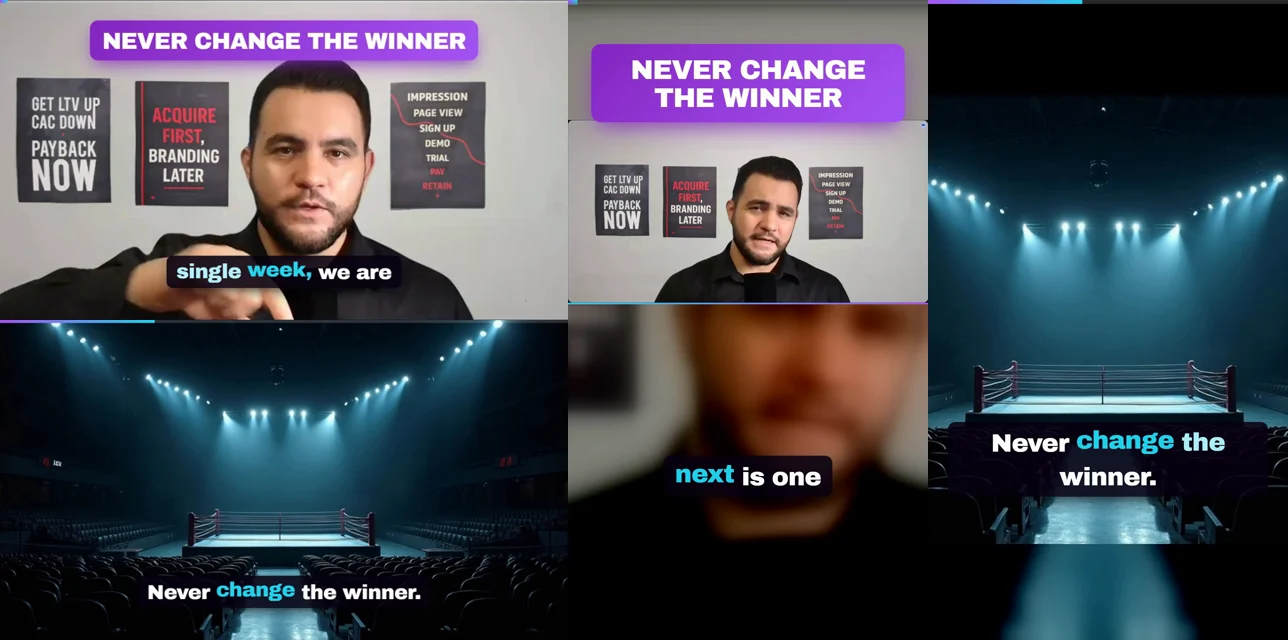
> When I say "never change the winner", generate a video of "empty boxing arena, spotlights on" full screen for 5 seconds, with sound "deep cinematic impact boom".
compiled to beat 3
> When I say "the arena never changes", generate a video of "empty boxing arena, spotlights on" full screen for 5 seconds.
refused: note 3, he never says 'the arena never changes'. exit 1
Real B-roll. Screenshots and scroll captures of pages I name, taken in my own Chrome, plus generated images with FLUX dev on fal and generated clips with Kling 2.1 image to video. Every paid call writes a ledger row before it goes out and every result is cached by its prompt.
spend ledger, first render
spend ledger, re-render after the fix
One timeline. Silences get cut, so second 501 of the recording is not second 501 of the video. My demo window went from 123.5 seconds to 121.1 after the cuts, and the arena note written at 501.34 seconds plays at 32.33. Every beat is mapped through the cuts by the same function the captions use, or it drifts later after every cut. The graphics themselves render on HyperFrames, HTML turned into video, so text stays sharp on a phone.
source, 123.5 s
cut, 121.1 s
Layouts and styles. Split screen, picture in picture and a slow push in on the line that matters. Face tracking for the split was built and thrown out by measurement: my head swings about 9% of the half within a quarter of a second, and a crop that follows it shakes.
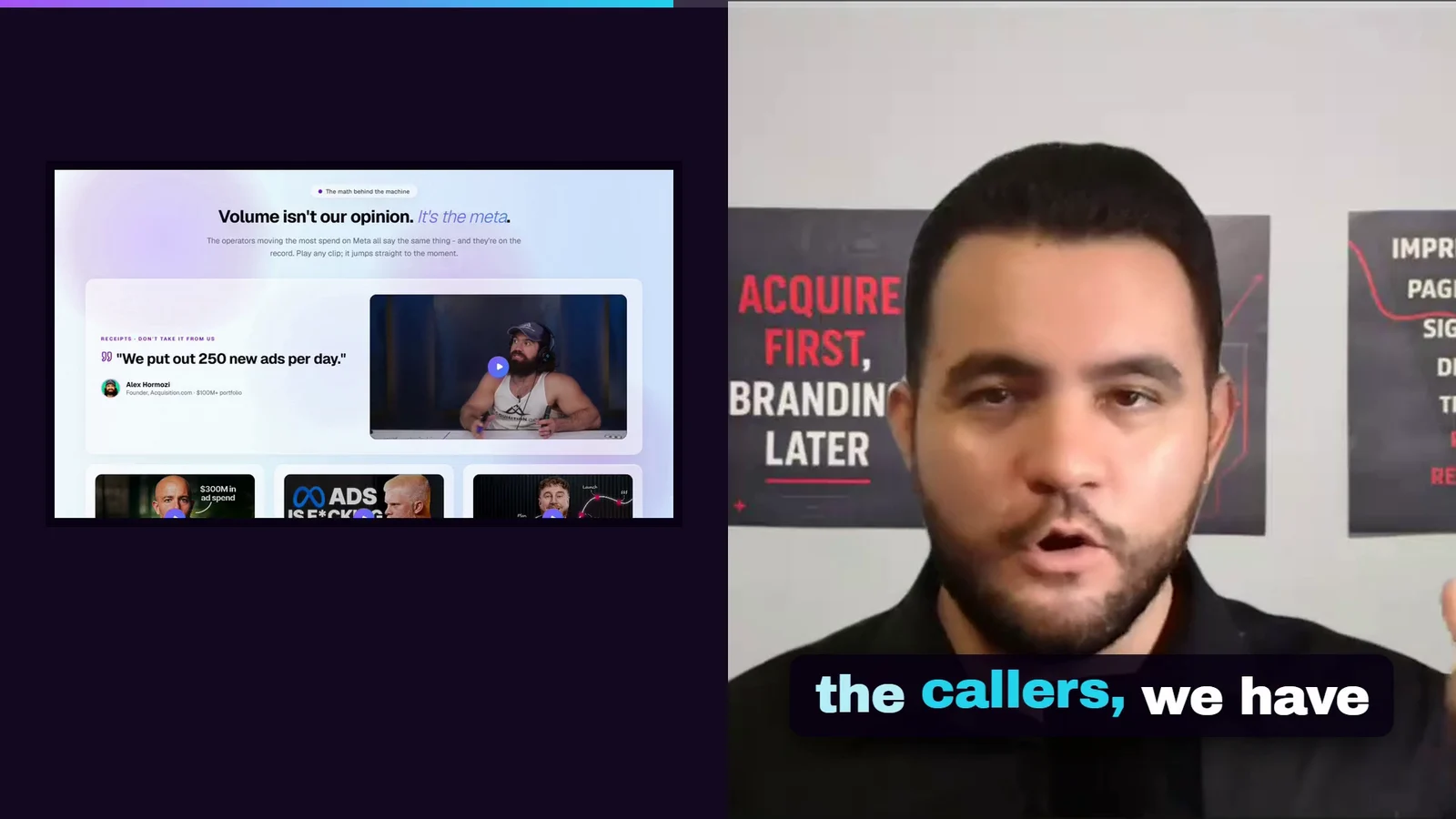

Sound. ElevenLabs sound effects on the beats and a generated music bed. Every compressor setting made the music pump, so the bed is ducked by a gain curve built from my own voice instead, and the mix lands at -14 LUFS as measured by ITU-R BS.1770.
Step 5. Hire reviewers, not a teacher
Here is where a person watching tutorials gets stuck: you cannot review work in a skill you do not have. I cannot look at a mix and tell you the limiter is working too hard. So I do not review it. Reviewers do.
After every iteration, four Claude agents audited the renders from four angles (correctness against the plan, an attacker trying to break it, a viewer watching it like YouTube, and what was skipped), and a fifth agent checked every outside claim on the web. Claude only acted on findings it could reproduce itself.
Each angle earns its seat. The correctness reviewer re-measured the loudness and the sync with its own tools instead of trusting the logs. The attacker fed it broken files: a one byte video, an asset faded to 8%, a sound effect doubled a quarter second late. The viewer said the music was there but nobody could hear it. None of them needed me to know how any of it works.
- 1Split screen put me 7.7% off centre, and briefly out of frame
- 2Face tracking built, measured, and thrown out: it shook
- 3The sync check passed a board that arrived 1 s late
- 4Music 27 LU under the voice: there, but nobody could hear it
- 5The frozen-graphic check was scanning an empty log
- 6A version one safety check, silently lost in the new code
- 7Two render chains writing into the same folders; a linter that failed open
- 8A 9.4 dB limiter reading that was really 3.4
- 9A black bar over 16% of an asset still counted as shown
- 10Nothing left that blocked a criterion. 20 of 20.
Two of those findings are the kind no tutorial warns you about. Stopping a render killed the shell but not the renders underneath it, which kept writing into the same folders during the next run. And the limiter looked like it was crushing my voice by 9.4 decibels. It was not: it delays its output by 47 samples, and comparing unaligned frames read every transient as a cut. Measured properly, 3.4 at worst.
The render also reviews itself, and it fails closed. A linter that crashed used to read as “0 errors”. Now a missing answer is a failure.
Step 6. Do the one job only you can do
All 20 criteria passed. Every auditor was happy. Then I watched it.
My line is “Never change the winner”. The transcriber heard “never change the arena”. Twice. The notes were drafted from that transcript, so the B-roll for my signature line was an empty boxing arena, and every check agreed with it, because every check was reading the same wrong transcript.
No reviewer could have caught that. It is not a quality problem, it is an identity problem: only the owner knows what the owner says. That is the job you keep.
The fix went into one corrections file, text only, timings untouched:
{
  "substitutions": [
    [500.56, "arena.", "winner", "'You are changing the winner.' key phrase"],
    [502.22, "arena.", "winner", "'Never change the winner.' key phrase, verbatim"]
  ],
  "bad_terms": ["arena"]
}
Both cuts re-rendered in about 10 minutes and cost nothing, because every asset was cached. That is what you get from a system built to be corrected instead of one built to be admired.
What you get
From one tutorial I did not study: a video editor that takes ten lines of English and returns a 121 second horizontal cut and a 46 second short. Three captured pages, two generated stills, one generated clip, five sound effects, one music bed. $0.76 of generation. 179 tests. Loudness at -14.3 and -14.4. Every sound effect within one frame of its picture. And the old engine still tagged, one command away.
The same way of working, a brief, a bar and reviewers, runs my conversion tracking setup, my website cloner and the marketing agents I run for clients. It also let a first-timer ship a game without writing a line of code.
Hand it to Claude Code
Pick one tutorial that shows a finished result you want. Paste this into Claude Code with the link, and close the session with my safe-to-close skill so nothing is left dangling.
Here is a tutorial: <YOUTUBE URL>. Do not summarise it. Study it:

1. Download it, transcribe it with timestamps, pull keyframes at the
   scene changes, two contact sheets, and every frame where a prompt
   or settings screen is visible. Save it all to research/.
2. Measure what can be measured (pacing, layout, colours, structure).
3. Compare it with what I already have: <MY SKILL, REPO OR PAGE>.
   List the gaps, each with a timestamp as evidence. Also list where
   the tutorial is WEAKER than what I have, so we keep those parts.
4. Turn the gaps into a plan: numbered success criteria a machine can
   check, a spend cap of $<CAP>, and a way to roll back to today.
5. Build it as a goal. After every iteration run four reviewers
   (correctness, an attacker, a user, what was skipped) and one web
   agent checking outside claims. Act only on what you can reproduce.
6. Never copy the creator's footage, audio or assets.
7. When it passes, show me the result and wait. I judge it.
When not to do this
If the skill is the job, learn it. A surgeon does not delegate the tutorial. If you will be the one doing this work every day for years, the hours of practice are the product.
If the tutorial shows no result, only opinions, there is nothing to measure and Claude will hand you a tidy summary of someone’s mood.
And if you do not know what good looks like, fix that first. Step 6 only works because I know my own line. If you need help with what the work should achieve before anyone builds it, that is what the 1-on-1 consultancy is for, and a result like the HyperTask engagement is what it looks like when the standard is right.
Same method, different surface: a brief a human writes, a machine that proves its own work, reviewers on every round. I usually point it at ad accounts and funnels.
See how I workDo I still need to understand the skill myself?
You need to know what good looks like, not how to do it. I could not tell you how to duck a music bed under a voice. I can tell when a video looks cheap, when the music is too loud, and when my own line is wrong on screen. That judgement is the part you cannot hand to Claude.
Which tutorials work for this?
The ones that show a result you can measure. A video where someone builds something on screen gives Claude frames, pacing, prompts and a finished output to compare against. A talking head full of opinions gives it nothing to measure. Pick tutorials by what they show, not by how famous the speaker is.
Isn’t this copying the creator?
No. The tutorial was studied, never sampled: no footage, audio or asset from it went into anything I built. Claude measured what the result looked like and why, then built my own version, with my own voice, my own pages and my own rules. That is what you do with any good teacher.
How much did it cost?
The generation inside the editor cost $0.76: four images at about 4 cents each and one image to video clip at 60 cents, against a $30 cap. Sound effects and music came from an ElevenLabs subscription. The Claude Code time that studied, planned and built it is the larger cost, and it is still cheaper than an editor.
How long did it take?
The tutorial was downloaded, transcribed and cut into contact sheets in about 14 minutes. The plan and the build ran the same day as one goal: 10 audited rounds until 20 of 20 success criteria were proven. After I caught the misheard line, the fix and both re-renders took about 10 minutes.